














i5 vs i7 in Refurbished Laptops: Is the Upgrade Worth It in Dubai?
When you shop for a refurbished laptop, one question comes up on almost every model page: should you pay extra for an i7, or is an i5 enough? The answer is not the same for everyone. It depends on your daily work, not on the badge on the laptop. This guide explains the difference in plain words, with real shop prices, so you can decide without overspending.
Quick answer: For office work, study, browsing, and video calls, a modern i5 is enough, and it saves you money and battery. For heavy multitasking, large spreadsheets, photo and video editing, or engineering software, an i7 is worth the extra cost. If the i5 and i7 models are the same generation, with the same RAM and SSD, the i7 is usually 15 to 25 percent faster in heavy tasks, but you will barely notice it in everyday work.
What i5 and i7 actually mean
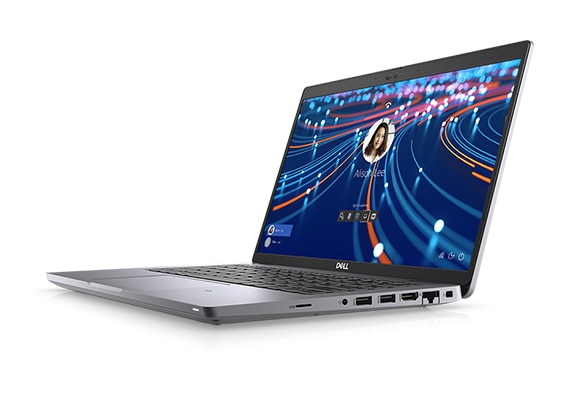
Intel Core i5 and i7 are processor families, not speed ratings on their own. Think of them as engine sizes. An i7 usually has more cores, higher top speed, and more cache memory, which is the fast memory built into the processor. That helps when many programs run at once, or when one program is very demanding.
But generation matters more than the i5 or i7 name. A newer 11th generation i5 can beat an older 8th generation i7 in daily work, because newer chips are more efficient. So never compare i5 and i7 across different generations. Compare the full model number, for example i5-1135G7 against i7-1165G7, both 11th generation, before you decide.
Speed in everyday work: almost no difference
For the work most buyers do, an i5 feels the same as an i7. Opening email, writing documents, browsing with many tabs, joining Zoom or Teams calls, and watching videos all run smoothly on a modern i5 with 16GB of RAM and an SSD. The SSD and the RAM matter more here than the processor badge. A refurbished i5 with 16GB RAM and a 512GB SSD will feel faster than an i7 with only 8GB RAM and a slow drive.
Where the i7 pulls ahead is sustained heavy work: editing video, rendering 3D models, running virtual machines, compiling code, or working with very large data files. If that is your daily work, the i7 finishes jobs faster and stays smoother when the system is under load.
Battery and heat: i5 usually wins
An i7 draws more power when pushed hard, which can mean slightly shorter battery life and a warmer laptop under heavy load. In normal office work the difference is small, because both chips slow down when idle. But if you work unplugged all day, an i5 machine often lasts a little longer on one charge. Always check the tested battery health of the exact unit, because battery condition matters more than the processor for real battery life.

Price comparison in our Dubai shop
| Model in our shop | Processor | Shop price |
|---|---|---|
| Dell Latitude 5420 | 11th generation i5, 16GB RAM, 512GB SSD | AED 739 |
| Dell Latitude 7420 | 11th generation i7, 16GB RAM, 512GB SSD | AED 1,059 |
| HP EliteBook 840 G6 | 8th generation i7, 16GB RAM, 512GB SSD | AED 761 |
| HP EliteBook 840 G8 | 11th generation i7, 8GB RAM, 256GB SSD | AED 1,179 |
Notice how generation and RAM change the picture. The 840 G6 carries an i7 badge but an older 8th generation chip, while the Latitude 5420 carries an i5 badge with a newer 11th generation chip, more RAM, and a bigger SSD, for a lower price. On paper the i7 sounds better. In daily work the newer i5 machine is the stronger buy. That is why you should compare full specs, not just the badge.
Which one should you buy?
- Buy the i5 if: your work is office documents, email, browsing, study, video calls, and light photo work. Spend the money you save on more RAM or a bigger SSD instead.
- Buy the i7 if: you edit video, run engineering or design software, use virtual machines, or keep 30 tabs plus heavy apps open all day. The extra cores pay for themselves in time saved.
- Buy by generation first: a newer i5 beats an older i7 for most buyers. Check the generation number before the i5 or i7 badge.
- Never buy on badge alone: check RAM, SSD size and type, screen, and battery health on the exact unit.
RAM and SSD matter more than you think
For most buyers, 16GB of RAM is the sweet spot. It keeps many tabs and apps smooth without slowing down. 8GB is workable for light use, but it is the first thing to upgrade if the laptop feels slow. A fast NVMe SSD matters too: it makes the laptop start in seconds and open programs instantly. A refurbished laptop with an old slow drive will feel slow no matter which processor it has, so ask what drive is fitted.
What about future proofing?
An i7 may stay useful a year or two longer for heavy work, because software keeps getting heavier. But for office and study work, a modern i5 already has plenty of headroom, and the laptop will more likely be replaced for a better screen or battery than for processor speed. Paying a large premium only for future proofing is rarely good value. Pay for the work you do now, with a little room to grow.
Frequently asked questions
Is an i5 enough for a refurbished laptop in 2026?
Yes, for office work, study, browsing, and video calls, a modern i5 with 16GB RAM and an SSD is more than enough. Only heavy creative or engineering work truly needs an i7.
Will I notice the difference between i5 and i7?
In everyday work, no. In heavy multitasking, video editing, or large data work, yes, the i7 finishes tasks faster and feels smoother under load.
Is an older i7 better than a newer i5?
Not always. A newer i5 is often faster and more efficient than an older i7. Always compare the full processor model and generation, not just the badge.
What should I check before buying?
Check the full specs, RAM, SSD, screen, and battery health of the exact unit. Every laptop at Khaleej Electronics is tested before sale and covered by a 12 month warranty with 10 day returns. Message us on WhatsApp at +971 58 959 4156 and we will confirm the tested details of the model you want.
Ready to choose? Visit our shop page, compare the full specs, and pick the processor that fits your real work. Paying for power you never use is not a bargain, and saving money on power you need every day is not a saving.