











Best Refurbished Laptop for Video Editing in Dubai 2026
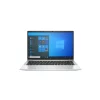
Short answer: the best refurbished laptop for video editing in Dubai is the Dell Precision 5560 at AED 2,569. It has an 11th Gen Core i7 processor, 32GB RAM and a fast 512GB SSD, which is the mix that keeps a video timeline smooth. If your budget is lower, the Lenovo ThinkPad P52s at AED 1,299 is the best value pick, and the Dell Latitude 5420 at AED 939 is the best budget pick for learning and light editing. Every laptop in this guide is refurbished, tested, and covered by a 12 month warranty with Cash on Delivery in Dubai and Sharjah. Every price here is a live price from our shop, checked on 20 November 2026.
In this guide we explain what makes a laptop good for video editing, compare six real refurbished models with live prices, and show you which one fits your work and your budget. We also answer the questions buyers ask us most: is a refurbished laptop good for video editing, which one is best for Premiere Pro, and can you edit video on a laptop under AED 2,000.
Our Top Pick: Dell Precision 5560 at AED 2,569
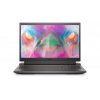
If you want one clear answer, buy the Dell Precision 5560. It is a mobile workstation, which means it was built for heavy work from the start. It has an Intel Core i7 11th Gen processor with 8 cores, 32GB RAM, a fast 512GB SSD and a big 15.6 inch display. That is the strongest mix in our shop for video editing, and it costs far less than a new workstation with the same power.
The 32GB of RAM is the key point. Video editing apps use a lot of memory. They hold your clips, your preview files and your effects in RAM while you work. With 16GB you can edit well. With 32GB you can edit longer projects with more layers and less waiting. The 8 core processor handles many tasks at once, so rendering and exporting feel faster too.
If the 5560 is more than you want to spend, do not worry. The rest of this guide covers five more laptops at lower prices, and two of them cost less than AED 1,300. The best laptop is the one that fits your work and your budget, not the most expensive one.
Quick rule: for video editing, buy the laptop with the most RAM you can afford, at least 16GB, with a fast SSD and a 15.6 inch screen if you edit at a desk. A big screen and more RAM help you more than a slightly newer processor.
What Makes a Laptop Good for Video Editing?
Video editing is heavy work for a laptop. The app has to read large video files, show a live preview, apply effects, and save the final video, all at the same time. A laptop that is fine for email and Word can feel slow the moment you open a video timeline. Here is what matters, in plain words.
Processor: the engine of the laptop
The processor does the hard work of cutting, rendering and exporting video. A quad core Core i5 or i7 from the last few years handles 1080p editing well. An 8 core chip, like the one in the Precision 5560, handles bigger projects and faster exports. For simple cuts and short clips, a Core i5 is enough. For long videos with many layers, a Core i7 is the safer pick.
RAM: the work space
RAM is the space where the editing app holds your clips while you work. 16GB is the minimum for smooth video editing in 2026. With 8GB the app will slow down and stutter on longer timelines. With 32GB you can work on bigger projects with more clips and effects open at once. Every laptop in this guide has at least 16GB of RAM, and the Precision 5560 has 32GB.
Storage: a fast SSD is a must
Video files are big. A single hour of 1080p video can take many gigabytes. A fast SSD reads those files quickly, so your timeline stays smooth and your clips load without delay. A slow old hard drive will make even a strong laptop feel slow. Every laptop in this guide has a fast SSD of 512GB or more, and the Precision 5530 has a full 1TB of SSD storage for large projects.
Screen: you need room and true colour
You spend hours looking at the timeline, so the screen matters. A 15.6 inch screen gives you room to see the timeline, the preview and your tools at once. A 14 inch screen works well too, and it is easier to carry. Colour matters as well. A screen that shows true colour helps you judge your video correctly. The ThinkPad P52s has a 15.6 inch Full HD IPS screen, which shows true colours from wide angles and suits design and video work.
Graphics card: helpful, not always a must
A dedicated graphics card helps with effects, colour work and smooth playback. The Dell Precision 5520 and 5530 both have Nvidia graphics, which is why they are strong picks for editing. A laptop with good built in graphics, like the Intel Iris Xe graphics in the Latitude 5420 and 7420, still handles 1080p editing and light effects well. For simple YouTube and social media videos, built in graphics are enough. For heavy effects and colour grading, a workstation with a graphics card is the better pick.
The 6 Best Refurbished Laptops for Video Editing Compared
Here are the six best refurbished laptops for video editing in our shop right now, with live prices checked on 20 November 2026. All six are in stock, tested, and covered by a 12 month warranty.
| Laptop | Processor | RAM | Storage | Screen | Price | Best for |
|---|---|---|---|---|---|---|
| Dell Precision 5560 | Core i7 11th Gen, 8 cores | 32GB | 512GB SSD | 15.6 inch | AED 2,569 | Heavy editing, big projects |
| Dell Precision 5530 | Core i7-8850H | 16GB | 1TB SSD | 15.6 inch | AED 1,939 | Large files, big storage |
| Dell Precision 5520 | Core i7 6th Gen | 16GB | 512GB SSD | 15.6 inch | AED 1,799 | Best value workstation |
| Lenovo ThinkPad P52s | Core i7-8550U 8th Gen | 16GB | 512GB SSD | 15.6 inch FHD IPS | AED 1,299 | Editing on the move |
| Dell Latitude 7420 | Core i7-1185G7 11th Gen | 16GB | 512GB NVMe SSD | 14 inch FHD | AED 1,239 | Light editing, travel |
| Dell Latitude 5420 | Core i5-1135G7 11th Gen | 16GB | 512GB NVMe SSD | 14 inch FHD | AED 939 | Budget editing, learning |
Five of these six laptops cost less than AED 2,000. Only the Precision 5560 sits above that line, and it earns its price with double the RAM and the newest processor in the list. Whichever one you pick, you pay by Cash on Delivery and you get free delivery across Dubai and Sharjah.
Dell Precision 5520 vs 5530 vs 5560: Which One Fits You?
The three Dell Precision workstations are the strongest editing laptops in our shop. They all have a 15.6 inch screen, at least 16GB of RAM, and a fast SSD. The differences are the processor, the RAM, the storage, and the price. Here is how to choose between them.
Dell Precision 5560 at AED 2,569: the top pick
The Precision 5560 is the newest and strongest of the three. Its 11th Gen Core i7 has 8 cores, so it handles many tasks at once without lag. Its 32GB RAM is double what the other two offer, so big projects with many clips and layers stay smooth. The 512GB SSD loads files fast. If you edit video every day, or you work on long projects for clients, this is the laptop to buy. It is the best refurbished laptop for video editing in Dubai for serious work.
Dell Precision 5530 at AED 1,939: the storage pick
The Precision 5530 has a Core i7-8850H processor, Nvidia graphics, 16GB RAM and a full 1TB SSD. That is double the storage of the 5520 and the 5560, so it suits editors who keep large video libraries on the laptop itself. It also has Windows 11 Pro already installed, so you can start work the same day it arrives. One honest note: the live price is now AED 1,939, up from AED 1,739 after our November reprice. The price on this page is the live price, checked on 20 November 2026. If you need the most storage for the money, the 5530 is still the pick.
Dell Precision 5520 at AED 1,799: the value pick
The Precision 5520 is the cheapest way into a real workstation. It has a Core i7 6th Gen processor, Nvidia graphics, 16GB RAM, a 512GB SSD and a 15.6 inch display, all for AED 1,799. The processor is older than the other two, but the Nvidia graphics card and the 16GB of RAM still handle 1080p editing, design work and CAD files well. If your budget is tight and your work is design, editing or CAD, the 5520 is great value. If you want the newest Precision in this price range and more storage, the 5530 is the better pick.
Dell Precision vs ThinkPad P52s for Video Editing
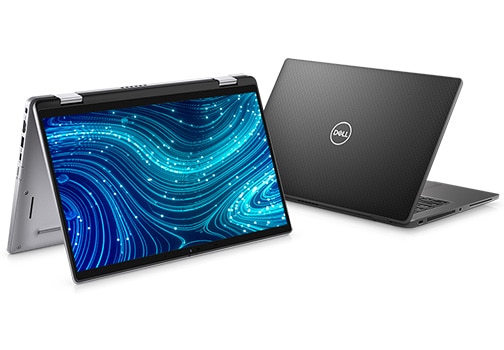
Many buyers ask us to compare the Dell Precision range with the Lenovo ThinkPad P52s. Both are mobile workstations, and both suit video editing. The right one depends on how you work.
The Precision 5520 and 5530 have Nvidia graphics, which helps with effects, colour work and smooth playback in editing apps. The Precision 5560 adds the newest processor and 32GB of RAM. If you edit at a desk and you want the most power, a Precision is the stronger choice.
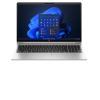
The ThinkPad P52s at AED 1,299 wins in a different way. It is light for a workstation at just 1.72 kg, with a slim 18.4 mm body that slips into a bag with ease. Its 15.6 inch Full HD IPS display shows true colours from wide angles, which matters when you judge colour in your video. It has a backlit keyboard, a fingerprint reader, and a 180 degree hinge that folds the screen flat for sharing work in meetings. Its Core i7-8550U is a quad core chip that runs at 1.8 GHz and boosts up to 4.0 GHz when the work gets heavy.
Here is the simple verdict. Pick a Dell Precision if you want the most editing power and a graphics card for heavy effects. Pick the ThinkPad P52s if you edit on the move and you want a light laptop with a colour true screen at a lower price. Both come with the same 12 month warranty, 10 day returns, and Cash on Delivery. Neither one is a bad buy.
Refurbished Laptop for Video Editing Under AED 2,000 in Dubai
You do not need to spend AED 2,500 to edit video well. Five of the six laptops in this guide cost less than AED 2,000, and each one handles 1080p editing for YouTube, Instagram, TikTok and client work.
- Lenovo ThinkPad P52s at AED 1,299: the best all round pick under AED 2,000. A workstation with a quad core i7, 16GB RAM, a 512GB SSD and a colour true IPS screen, in a light 1.72 kg body.
- Dell Precision 5520 at AED 1,799: the cheapest real workstation with Nvidia graphics. Best if your editing uses effects and colour work.
- Dell Precision 5530 at AED 1,939: the pick if you need 1TB of storage for large video files.
- Dell Latitude 7420 at AED 1,239: a light 1.22 kg laptop with an 11th Gen Core i7, 16GB RAM and Intel Iris Xe graphics. Best for light editing and travel.
- Dell Latitude 5420 at AED 939: the cheapest pick in this guide. An 11th Gen Core i5 with 16GB RAM and a fast NVMe SSD. Best for learning to edit and for short social media videos.
If your budget is under AED 2,000 and you edit every day, buy the ThinkPad P52s. It gives you workstation build quality, a big colour true screen and 16GB of RAM for AED 1,299. If your budget is under AED 1,000, buy the Latitude 5420 at AED 939 and spend the money you save on an external hard drive for your video files.
Is a Refurbished Laptop Good for Video Editing?
Yes, if you buy the right kind of refurbished laptop. A refurbished business laptop or workstation is a good pick for video editing, because these machines were built for heavy daily work. They have strong frames, good cooling, and parts you can upgrade. A refurbished workstation like the Precision 5560 or the ThinkPad P52s was made for exactly this kind of work when it was new, and it still has years of life left in it.
What matters is the spec, not the label. A refurbished laptop with 16GB of RAM, a fast SSD and a decent processor will edit video well. A refurbished laptop with only 8GB of RAM and a slow hard drive will struggle, no matter how cheap it is. That is why every laptop in this guide has at least 16GB of RAM and a fast SSD. We do not list weak laptops for editing work.
There are two honest limits. First, heavy 4K editing with many effects is hard work for any laptop at this price. These machines handle 1080p editing smoothly, and they can cut short 4K clips, but long 4K projects with heavy effects will feel slow. If 4K is your daily work, you need a newer machine with a stronger graphics card. Second, battery health varies from unit to unit on a refurbished laptop, so ask for the battery reading before you buy if you plan to edit away from a plug.
The safety net is the same as with any laptop from our shop: a 12 month warranty in writing, 10 day returns, and Cash on Delivery. If the laptop has a fault in normal use, we fix it. That warranty is what makes a refurbished laptop a safe buy for editing work, and it is the first thing to check with any seller.
Best Laptop for Premiere Pro in Dubai (Refurbished)

Adobe Premiere Pro is the editing app most of our customers use, so it deserves its own answer. Premiere Pro needs three things: enough RAM, a fast drive, and a screen you can trust. It uses RAM to hold your clips and preview files, it reads video from the SSD while you scrub the timeline, and it leans on the processor and graphics card when you render and export.
For Premiere Pro, our picks are clear. The Precision 5560 at AED 2,569 is the best refurbished laptop for Premiere Pro in Dubai, thanks to its 32GB of RAM and its 8 core processor. The ThinkPad P52s at AED 1,299 is the best value pick for Premiere Pro, with 16GB of RAM and a colour true IPS screen. The Latitude 7420 at AED 1,239 suits light Premiere Pro work and travel, with its 11th Gen Core i7 and fast NVMe SSD.
Three practical tips will make Premiere Pro run better on any of these laptops. First, keep at least 50GB free on the SSD, because Premiere Pro needs free space for preview files. Second, store finished projects and old footage on an external drive, so the SSD stays fast. Third, use proxy editing for 4K clips, which means Premiere Pro edits a light copy of the video and exports from the full quality file. These three habits make a bigger difference than a small spec upgrade.
Pros and Cons of a Refurbished Laptop for Video Editing
A fair guide shows both sides. Here are the real pros and cons of buying refurbished for video editing.
Pros
- You save a lot of money. A refurbished workstation costs far less than a new one with the same power. The money you save can pay for an external drive, a monitor, or editing software.
- You get a stronger machine. Refurbished workstations and business laptops were built for heavy work, with strong frames and good cooling. A cheap new laptop at the same price is usually weaker.
- You still get a warranty. Every laptop from our shop has a 12 month warranty and 10 day returns, so a refurbished buy is covered just like a new one.
- You can pay on delivery. Cash on Delivery across Dubai and Sharjah means you pay when the laptop arrives, not before.
Cons
- Battery health varies. A refurbished battery may not last as long as a new one. Ask for the battery reading before you buy, and plan to edit near a plug for long sessions.
- Older processors have limits. A 6th Gen or 8th Gen chip handles 1080p well, but heavy 4K work with many effects will feel slow.
- Small marks are normal. A refurbished laptop is tested and cleaned, but it may have light marks from its first life in an office. It works like new, even if the body shows light use.
- Stock is limited. We sell one unit at a time, so a model can sell out. If you see the laptop you want, do not wait too long.
What to Check Before You Buy a Refurbished Laptop for Video Editing
Use this short checklist with any seller, including us. It takes ten minutes and it saves you from a bad buy.
- Check the RAM is at least 16GB. This is the first spec to confirm. With less than 16GB, video editing will stutter on longer timelines.
- Check the storage is a fast SSD, not a hard drive. Open the system settings and confirm the drive type and the free space. Video files need room.
- Check the screen. Look for dead pixels, bright spots, and washed out colour. Test it with a plain white screen and a plain black screen, and play a video to judge the colour.
- Check the ports. Video work needs USB ports for external drives, and an HDMI port helps if you connect a second screen. Test each port with a real device.
- Check the battery health. Ask for the battery health reading. A laptop that holds a charge for real work is what you want, not one that dies in 30 minutes.
- Check the warranty in writing. 12 months is the mark of a serious seller. Ask what it covers and get it on the invoice.
- Check the return terms. Know how many days you have and who pays return shipping before you pay.
- Test an edit if you can. If you visit our shop in Sharjah, bring a short clip and try a quick edit on the laptop before you buy. It is the fastest way to know it suits your work.
For a full walkthrough of the checks that apply to any refurbished laptop, read our Latitude 5420 vs 7420 comparison and our guide to refurbished laptops under AED 1,000 in Dubai. Both guides use the same live prices and the same warranty terms as this page.
Frequently Asked Questions
Is a refurbished laptop good for video editing?
Yes, if you buy a business laptop or workstation with at least 16GB of RAM and a fast SSD. Refurbished workstations like the Dell Precision 5560 and the Lenovo ThinkPad P52s were built for heavy work, so they handle 1080p editing well. Buy from a real shop with a 12 month warranty, and check the RAM, SSD and screen before you pay.
Which refurbished laptop is best for Premiere Pro in Dubai?
The Dell Precision 5560 at AED 2,569 is the best refurbished laptop for Premiere Pro in Dubai, with an 11th Gen Core i7 processor, 32GB RAM and a 512GB SSD. The best value pick is the Lenovo ThinkPad P52s at AED 1,299, with a quad core i7, 16GB RAM and a colour true 15.6 inch IPS screen.
How much RAM do I need for video editing?
You need at least 16GB of RAM for smooth video editing in 2026. With 8GB the editing app will slow down on longer timelines. With 32GB you can work on bigger projects with more clips and effects open at once. Every laptop in this guide has at least 16GB of RAM, and the Precision 5560 has 32GB.
Can I edit 4K video on a refurbished laptop under AED 2,000?
You can cut short 4K clips on a refurbished laptop under AED 2,000, like the ThinkPad P52s at AED 1,299 or the Precision 5520 at AED 1,799, especially if you use proxy editing in Premiere Pro. Long 4K projects with heavy effects will feel slow on these machines. For daily 4K work, a newer machine with a stronger graphics card is the better pick. For 1080p editing, these laptops are smooth and reliable.
Ready to start editing? Browse our refurbished laptops in Dubai and Sharjah, all tested, with a 12 month warranty, 10 day returns, and Cash on Delivery. Not sure which model fits your editing work? WhatsApp us on +971 58 959 4156 and tell us which app you edit in and what kind of videos you make. We will give you a straight answer.