












How to Check Refurbished Laptop Battery Health Before You Buy in Dubai
When you buy a refurbished laptop, the battery is the part that worries buyers most. A laptop can look perfect and still lose charge fast if its battery is worn out. The good news is that battery health is easy to check, and it takes only a few minutes. This guide shows you exactly how to check it on Windows, what the numbers mean, and what level is good enough for daily work in Dubai.
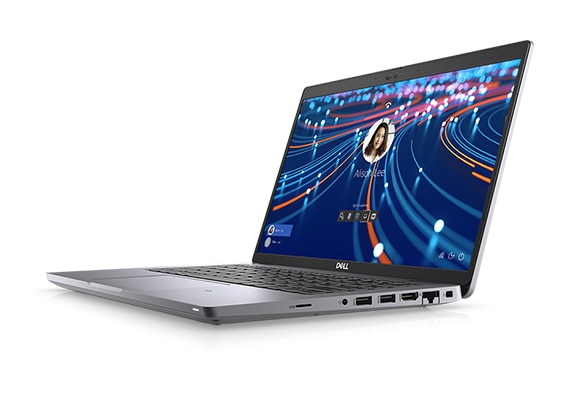
Quick answer: Ask for the battery health report before you pay. On Windows, a battery report shows design capacity and full charge capacity. If the battery still holds 80 percent or more of its original capacity, it is good for daily use. Below 70 percent, expect short battery life and plan for a replacement. Always buy from a shop that tests the battery and gives a written warranty, so a weak battery is their problem, not yours.
Why battery health matters more than battery age
A battery wears out through charging cycles, not just through time. A three year old laptop that mostly stayed plugged in can have a healthy battery, while a one year old laptop charged twice a day can be worn out. That is why the age of the laptop tells you very little. The health percentage tells you the real story. It shows how much charge the battery can still hold compared with when it was new.
For office work, study, and travel around Dubai, battery health decides whether your laptop lasts a full morning or dies after one meeting. A weak battery also makes the laptop slow down in some cases, because the system limits power to protect the battery. So checking the battery is not a small detail. It is one of the most important checks on any refurbished laptop.
How to check battery health on Windows in 2 minutes
You do not need any paid tool. Windows has a built in battery report that works on Windows 10 and Windows 11.
Step 1: Open the battery report
Right click the Start button and open Windows Terminal or Command Prompt. Type powercfg /batteryreport and press Enter. Windows will save a report file and show you its location, usually in your user folder. Open that HTML file in your browser.
Step 2: Read the two capacity numbers
Near the top of the report you will see Design Capacity and Full Charge Capacity. Design capacity is what the battery held when new. Full charge capacity is what it holds now. Divide full charge by design capacity and multiply by 100. That is your battery health percentage. Example: if design capacity is 60,000 mWh and full charge capacity is 51,000 mWh, health is 85 percent. That is a good battery. If full charge capacity is only 36,000 mWh, health is 60 percent, and that battery will need replacing soon.
Step 3: Check the cycle count and recent usage
Scroll down to the battery usage section. A high cycle count means the battery has been charged many times. There is no single perfect number, because different batteries are rated for different cycles, but a very high cycle count with low health confirms wear. Also look at recent usage: if the battery drops fast during normal use in the report, that matches what you will feel in real life.
What is a good battery health percentage
| 90 percent or more | Excellent. Close to new performance. |
| 80 to 89 percent | Good. Fine for daily office and study work. |
| 70 to 79 percent | Usable, but expect shorter unplugged time. Ask for a price cut or a new battery. |
| Below 70 percent | Weak. Plan on replacing the battery, or do not buy unless the price reflects it. |
Our own rule at Khaleej Electronics is simple: we test battery health on every unit before sale, and we tell you the result. A refurbished laptop with a 12 month warranty should not leave you stuck with a dead battery. If a seller refuses to show a battery report, that is a warning sign. A trusted seller has nothing to hide.
Quick checks you can do in the shop
- Unplug the laptop and watch the battery percentage for 10 minutes of normal use. A fast drop is a bad sign.
- Open the battery report on the spot using the steps above. It takes 2 minutes.
- Check that the laptop charges normally and the charger is the correct wattage for the model.
- Ask what the warranty covers. Our 12 month warranty covers faults, and battery problems found early should be raised at once.
- Do not judge by the Windows estimate alone. The time remaining estimate changes with brightness and workload, so use the health percentage instead.
Battery health on popular refurbished models
Battery size differs by model, so compare health percentages, not raw hours, across models. A slim 14 inch business laptop and a large 15 inch laptop will give different hours even with equally healthy batteries. The models below are current shop examples, with live Khaleej Electronics prices at the time of writing.

| Dell Latitude 5420 | 11th generation power, 14 inch Full HD, strong all rounder | AED 739 |
| Dell Latitude 7420 | Premium slim build, bright screen, great for travel | AED 1,059 |
| HP EliteBook 840 G6 | Proven business model, slim and reliable | AED 761 |
| HP EliteBook 840 G8 | Newer 11th generation platform, faster daily feel | AED 1,179 |
Prices are the live shop prices at the time of writing. On any of these, ask us for the battery health figure before you order on WhatsApp, and we will confirm the tested result for that exact unit.
How to make a refurbished battery last longer
Once you own the laptop, a few habits protect the battery. Keep screen brightness at a comfortable level instead of maximum. Close apps you finished with, especially video apps running in the background. Avoid leaving the laptop in a hot car, because Dubai heat is hard on batteries. Restart the laptop at least once a week so background processes do not pile up. And use the charger that matches the laptop. A weak charger can cause charging problems that look like battery problems.
If you mostly work at a desk, you do not need to worry about keeping the battery at a magic percentage every day. Just avoid deep drain to zero again and again, and avoid constant extreme heat. Those two habits cause more wear than anything else in normal use.
When to replace a battery instead of the laptop
A weak battery is not a reason to throw away a good laptop. On most business models, a battery replacement is a simple job and costs far less than a new laptop. If the screen, keyboard, SSD and processor are all fine, replacing the battery gives the laptop a second life. Ask the shop for a genuine compatible battery and confirm the warranty on the replacement part. That is often the smartest money you can spend on a refurbished laptop.
Red flags when buying a refurbished laptop battery
- The seller will not show a battery report or health figure.
- The laptop only works while plugged in.
- The battery swells, or the laptop case or trackpad bulges.
- The charger is the wrong wattage or a loose generic charger.
- The price looks too good and there is no written warranty.
A swollen battery is a safety issue, not a bargain. Do not buy it, and do not try to fix it yourself. A trusted shop will remove a swollen battery from sale at once.
Frequently asked questions
What battery health is good for a refurbished laptop?
80 percent or more is good for daily use. 90 percent or more is excellent. Below 70 percent, expect short battery life and ask for a replacement or a lower price.
Can I check battery health without installing software?
Yes. Windows has a built in battery report. Run powercfg /batteryreport, open the saved file, and compare full charge capacity with design capacity.
Does a refurbished laptop battery last as long as a new one?
It depends on its health percentage. A refurbished battery at 85 percent health will last close to a new battery, just with slightly less total time. That small difference is why refurbished laptops cost far less than new ones.
Do you test battery health before sale?
Yes. Every unit is tested before sale, and our laptops come with a 12 month warranty and 10 day returns. Message us on WhatsApp at +971 58 959 4156 and ask for the battery health of the exact model you want.
Ready to buy with confidence? Visit our shop page, pick a model, and ask us for its battery health figure before you pay. A 2 minute check today saves you months of charging frustration.



One thought on “How to Check Refurbished Laptop Battery Health Before You Buy in Dubai”
[…] work unplugged all day, an i5 machine often lasts a little longer on one charge. Always check the tested battery health of the exact unit, because battery condition matters more than the processor for real battery […]