









How to Tell If Your Laptop Needs an SSD Upgrade in Dubai: 7 Clear Signs
Short answer: if your laptop takes more than a minute to start, apps open slowly, and the disk is always at 100 percent, it needs an SSD upgrade. A solid state drive, or SSD, is the single best upgrade for an old laptop. It makes booting, opening apps, and copying files much faster, often 5 to 10 times faster than an old hard disk drive, or HDD. This guide shows you the 7 clear signs, how to check what drive you have, what size SSD to pick, and when it is smarter to buy a refurbished laptop that already has an SSD.
1. Your laptop takes more than a minute to start

A healthy laptop with an SSD starts in 15 to 30 seconds. If yours takes more than a minute to reach the desktop, and then another minute before you can actually open anything, the old hard drive is the most likely cause. The drive is the slowest part in most old laptops. The processor and the memory wait for the drive to deliver Windows and your apps, and a spinning hard disk simply cannot keep up.
Try this simple test. Restart your laptop and count the seconds until you can open your browser and load a page. If it is over 60 seconds, write down the number. Then check the drive type with the steps in section 8 below. If you see HDD, an SSD upgrade will change the whole feel of the laptop.
2. Apps open slowly, even small ones
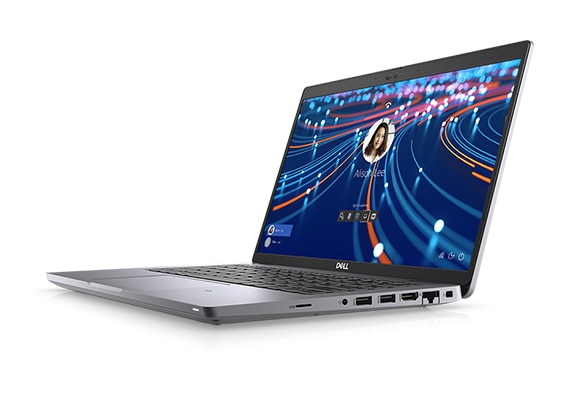
Opening Chrome, Word, or Excel should take a few seconds. If you click an app icon and wait 20 or 30 seconds while the screen shows nothing, or you see a loading circle for a long time, your drive is struggling. This is most clear with big apps like Photoshop or a video editor, but even small apps feel slow on a failing or old hard drive.
One warning sign is the delay after you double click. On an SSD laptop, the app window appears almost at once. On an HDD laptop, there is a pause, then the window opens piece by piece. If this happens every day, it is not normal, and it is not something more RAM alone will fix. Check our guide on how much RAM you really need too, because low RAM can look similar, but slow app opening with enough RAM points straight at the drive.
3. Files take too long to open and copy
Copy a 1GB folder of photos or videos and watch the speed. An SSD copies at hundreds of megabytes per second. An old hard drive often copies at 50 to 100 megabytes per second, and it slows down more when you copy many small files. If a simple copy job takes 10 minutes, or opening a large PowerPoint file takes half a minute, the drive is the bottleneck.
This matters most for students and office workers in Dubai who move big files every day. Designers working with photos and video feel it even more. If your work day includes waiting for files, an SSD pays for itself in saved time within weeks.
4. Your laptop freezes when you do two things at once
Opening three browser tabs while Word is open should be easy for any modern laptop. If your laptop freezes, or the mouse stops moving for a few seconds, when you switch between apps, the drive cannot serve two apps at the same time. A hard drive has one moving head that must jump between files. An SSD has no moving parts and can read many files at once.
To confirm, open Task Manager with Ctrl plus Shift plus Esc, click Performance, then Disk, and watch the Active Time. If it stays near 100 percent while you do simple work, the drive is maxed out. That is one of the clearest signs you need an SSD.
5. The disk is always at 100 percent in Task Manager
This is the number one sign, and it is easy to check. Press Ctrl plus Shift plus Esc, click the Processes tab, and look at the Disk column. If Disk shows 90 to 100 percent for long stretches while you are doing nothing heavy, Windows is waiting on the drive. Common causes are Windows Update, antivirus scans, and background apps, but on an SSD the same jobs finish in seconds and the disk drops back to single digits.
If your disk is at 100 percent most of the day, do not just disable services and hope. That only hides the problem. The real fix is a faster drive.
6. You hear clicking or loud spinning from the laptop
A hard drive is a spinning disk with a moving arm. Over years, the motor and the arm wear out. Clicking, grinding, or a loud constant whir is a warning that the drive may fail soon. If you hear new noises, back up your files the same day. A failing hard drive can stop without warning, and recovery is costly.
An SSD is silent because it has no moving parts. It also handles bumps and movement better, which matters if you carry your laptop between home, office, and university every day. If your drive is noisy, do not wait for it to die. Move to an SSD now, while your files are still safe.
7. Your laptop is 4 or more years old and still has its first drive
Most laptops sold before 2020 came with a hard drive as standard. If your laptop is 4 or more years old and no one has ever changed the drive, it almost certainly still has an HDD. Even if it still works, it is slow by today’s standards, and it is near the end of its safe life.
This is also the point where you should ask a simple question. Is the laptop worth an SSD upgrade, or is it better to replace it? If the processor is an 8th generation Intel Core i5 or newer, and the laptop has 8GB of RAM or more, an SSD upgrade gives it 2 to 3 more good years. If the processor is older, or the battery and screen are also failing, a refurbished laptop with an SSD already fitted is often the better spend.
How to check what drive you have in 30 seconds
You do not need any tool. On Windows 10 or 11, press Ctrl plus Shift plus Esc to open Task Manager. Click Performance on the left, then Disk. The name at the top right tells you the drive type. If it says HDD, you have a hard drive. If it says SSD, you already have one, and your slowness comes from something else, such as low RAM or a full drive. You can also check in Settings, then System, then Storage, then Advanced storage settings, then Disks and volumes, where Windows lists the media type for each drive.
While you are there, check how full the drive is. An SSD that is more than 90 percent full also slows down. If your 256GB drive has less than 20GB free, free up space first, or move to a bigger SSD.
HDD vs SSD: the speed difference in plain numbers
| Task | Old HDD | SATA SSD | NVMe SSD |
|---|---|---|---|
| Windows start time | 60 to 120 seconds | 15 to 25 seconds | 10 to 20 seconds |
| Open a big app | 20 to 40 seconds | 3 to 6 seconds | 2 to 4 seconds |
| Copy 10GB of files | 2 to 4 minutes | 20 to 40 seconds | 10 to 20 seconds |
| Noise and moving parts | Spinning disk, can click | Silent, no moving parts | Silent, no moving parts |
Even the cheapest SATA SSD is about 5 times faster than an old hard drive in daily use. An NVMe SSD, the small stick type used in most modern business laptops, is faster still. For office work, study, and browsing, a SATA SSD is already a huge step up. For video editing and heavy design work, NVMe is worth it.
What size SSD should you pick?
256GB is enough if you use cloud storage and only keep Windows, Office, a browser, and a few apps on the laptop. It is the most common size in refurbished business laptops, and it keeps the price low.
512GB is the sweet spot for most people. It holds Windows, Office, a good set of apps, and a healthy photo and document library, with room to spare. If you can afford the step up from 256GB, take it.
1TB is for heavy users. Video editors, designers with large project files, and gamers should go straight to 1TB. It costs more, but running out of space mid project is worse.
One rule: never buy the smallest size just to save a little money, then fill it to 95 percent. A full SSD slows down and leaves no room for updates. Keep at least 15 to 20 percent free.
Upgrade your old laptop, or buy a refurbished one with an SSD?
Both paths work. Here is how to decide.
Upgrade your current laptop if: the processor is 8th generation or newer, you have 8GB of RAM or more, the screen and battery are still good, and you like the laptop. An SSD swap is a one hour job for a technician, and your files can be moved across.
Buy a refurbished laptop with an SSD if: your processor is older than 8th generation, the battery barely holds a charge, the screen is damaged, or the laptop has more than one problem at once. In that case, fixing one part leaves the other problems waiting. A refurbished business laptop already has a fast NVMe SSD, 8GB or 16GB of RAM, and a 12 month warranty, so you start fresh.
Here are real refurbished options from our shop in Sharjah, all with fast SSDs fitted and prices checked on 22 November 2026. Prices can change, so confirm the live price on the product page before you buy.
| Refurbished laptop | Storage | Price |
|---|---|---|
| Dell Latitude 7480, Core i5 7th Gen, 8GB RAM | 256GB SSD | AED 739 |
| Dell Latitude 5289 2-in-1, Core i5 7th Gen, 8GB RAM, touch | 256GB SSD | AED 749 |
| Dell Latitude 5280, Core i5 8th Gen, 8GB RAM | 256GB SSD | AED 1,039 |
| Lenovo ThinkPad P52s, Core i7 8th Gen, 16GB RAM | 512GB SSD | AED 1,299 |
Every one of these starts Windows in seconds, not minutes, because the SSD is already fitted. They also come with our 12 month warranty and 10 day returns, and we deliver across Dubai and Sharjah. If you want a bigger screen and more power, the Dell Latitude 5420 at AED 939 and the Dell Latitude 7420 at AED 1,239 are also in the shop with fast SSDs. Search for them in our laptop shop.
What to do next: a simple 4 step plan
- Check your drive type with Task Manager, as shown above. If it says HDD, you have found the problem.
- Back up your files to a USB drive or cloud storage before you change anything. This is the one step you must never skip.
- Decide: upgrade or replace. Good processor and good battery means upgrade. Old processor plus other faults means a refurbished laptop with an SSD already fitted.
- Ask us if you are unsure. Send us your laptop model on WhatsApp and we will tell you honestly whether an SSD upgrade makes sense for it, or which refurbished model fits your budget. No charge for the advice.
One more tip: if your laptop is slow but already has an SSD, check the battery health and the RAM first. Our guides on battery health and checking a laptop before you buy cover both in simple steps.
Questions about SSD upgrades in Dubai
How do I know if my laptop has an HDD or an SSD?
Press Ctrl plus Shift plus Esc to open Task Manager, click Performance, then Disk. The drive name shows HDD or SSD. You can also check in Settings, System, Storage, then Disks and volumes.
Will an SSD make my old laptop fast again?
Yes, in most cases. Boot time, app opening, and file copying get 5 to 10 times faster. If the processor is 8th generation or newer and you have 8GB of RAM, the laptop will feel like a much newer machine.
How long does an SSD upgrade take?
A technician can swap the drive in about an hour. Moving your files across takes longer and depends on how much data you have, so back up first and allow a few hours in total.
Is it better to upgrade or buy a refurbished laptop with an SSD?
Upgrade if your processor is 8th generation or newer and the screen and battery are still good. Buy refurbished if the laptop has several problems at once. Our refurbished laptops start at AED 739 with an SSD already fitted and a 12 month warranty.
Ready for a faster laptop? Browse our refurbished laptops with SSDs or message us on WhatsApp at +971 58 959 4156. Tell us your current laptop model and what you use it for, and we will point you to the right upgrade or the right refurbished laptop. We deliver across Dubai and Sharjah, with cash on delivery available.