









SSD vs HDD in a Refurbished Laptop: Which One Should You Buy in Dubai 2026?
Buy the SSD. For almost every refurbished laptop buyer in Dubai in 2026, an SSD is the right choice. It starts Windows in seconds, opens apps at once, and survives bumps far better than an old hard drive. Shoppers who search for SSD vs HDD refurbished laptop Dubai usually want one clear answer, and this is it.
The quick answer: A hard drive reads at about 80 to 160 MB/s. A SATA SSD reads at up to 550 MB/s. A modern NVMe SSD reads at 2,000 to 7,000 MB/s. That gap is why a refurbished laptop with an SSD feels fast even when it is a few years old. Every refurbished laptop we sell already has an SSD fitted.
What is an SSD?
SSD stands for Solid State Drive. It stores your files on flash memory chips. There are no moving parts inside it. No spinning disk. No moving arm. Your data is read by electric signals, so it arrives almost at once. Think of it like a very fast memory card.
SATA SSD vs NVMe SSD
There are two main kinds of SSD in refurbished laptops. A SATA SSD reads at up to about 550 MB/s. It is three to four times faster than a hard drive, and it is plenty fast for study, office work and browsing. An NVMe SSD plugs into a small M.2 slot and reads at 2,000 to 7,000 MB/s. You feel the extra speed most when you copy very large files or edit video. For normal daily work, a SATA SSD already feels fast.
Our WD Blue 500GB SSD is a SATA SSD. It reads at up to 560 MB/s and writes at up to 530 MB/s. It fits any laptop with a normal 2.5 inch SATA bay.
What is an HDD?
HDD stands for Hard Disk Drive. It is the older kind of storage. Inside it, a round metal disk spins at 5,400 or 7,200 turns per minute. A small arm moves across the disk to read and write your data. It works a bit like a record player. This design has one real strength. It gives you a lot of storage for very little money. That is why hard drives still live in desktop PCs and in external drives used for backups and big media libraries.
Why HDDs feel slow
Every time you open a file, the disk must spin to the right spot and the arm must move to the right place. Windows must fetch hundreds of small files to start up. On a hard drive, each fetch waits for the disk and the arm. That wait is why a laptop with a hard drive feels slow, even when the processor is fine.
SSD vs HDD laptop speed difference
The SSD vs HDD laptop speed difference is the biggest gap in this whole guide. Here are the real numbers, from makers and from independent guides published in 2026.
| What you do | Hard drive (HDD) | SATA SSD | NVMe SSD |
|---|---|---|---|
| Read speed | 80 to 160 MB/s | Up to 550 MB/s | 2,000 to 7,000 MB/s |
| Windows startup | 30 to 90 seconds | 8 to 15 seconds | 5 to 10 seconds |
| Opening apps | Slow, one by one | Fast, almost at once | Instant |
| Copying a 10GB file | About 2 minutes | About 20 seconds | A few seconds |
| Noise and power | Hums, 6 to 15 watts | Silent, 2 to 5 watts | Silent, 2 to 5 watts |
Boot time is the clearest test. A laptop with a hard drive can take a full minute or more to reach the desktop. The same laptop with an SSD is ready in about ten seconds. That is five to ten times faster from one part change alone.
Daily work shows the same gap. On a hard drive, Word opens, then waits. Chrome opens, then waits. On an SSD, apps open almost at once. That is why an old laptop can feel new again after an SSD upgrade.
SSD vs HDD reliability: which drive lasts longer?
The other half of the question is SSD vs HDD reliability. A drive that fails takes your files with it. The short answer is the SSD, for laptop use. It has no moving parts to wear out. It does not care if the laptop gets bumped in a bag. A hard drive has a spinning disk and a moving arm, and a sharp knock while the disk spins can kill it.
How SSDs fail
An SSD wears out in a different way. Each flash memory cell can only be written a limited number of times. Makers measure this with a rating called TBW, which means terabytes written. A modern 500GB consumer SSD is often rated around 200 TBW. Our WD Blue 500GB SSD carries a 200 TBW rating and a 5-year limited manufacturer warranty.
How HDDs fail
Hard drives fail for mechanical reasons. The motor bearings wear. The read head can crash onto the spinning disk. Bad sectors spread across the surface. Heat and vibration speed all of it up, and Dubai heat makes this worse. A failing hard drive often clicks or hums louder than usual. But published data says about 41 percent of failed hard drives show no prior warning at all. They just stop.
What the real data says
Cloud storage firm Backblaze tracks thousands of drives in its data centres and publishes failure rates every year. Its data shows SSDs with an annual failure rate near 0.98 percent, against about 1.64 percent for hard drives. A consumer hard drive lasts about 3 to 5 years of daily laptop use. A consumer SSD lasts about 5 to 10 years.
One rule to remember: no drive is failure proof. Keep a backup of your photos and important files on a second drive or in the cloud. A warranty replaces the drive. It does not bring your files back.
Price per GB: what you really pay for speed
An HDD still wins on one number. Price per GB. A hard drive gives you more storage for each dirham. An SSD costs more for the same size. That is the honest trade. You pay extra for speed, silence and toughness. But look at the real numbers in our shop. A WD Blue 500GB SSD costs AED 169. That works out to about AED 0.34 per GB. For that money you get read speeds up to 560 MB/s, a 200 TBW endurance rating, and a 5-year manufacturer warranty.
How much SSD storage do I need in a laptop?
The question how much SSD storage do I need laptop buyers ask has a simple answer. It depends on what you keep on the machine.
256GB: enough for light use
A 256GB SSD is enough for browsing, email, documents, study and video calls. This holds if you keep most files in the cloud.
512GB: the sweet spot for most people
A 512GB SSD is the sweet spot for most buyers. It holds Windows and Office and many apps. It also holds a healthy photo library with room for updates. Most of our refurbished business laptops, like the Dell Latitude 5420 at AED 739 with 16GB of RAM and a 512GB SSD, come with this size as standard. If you are unsure, pick 512GB.
1TB: for creators, gamers and big libraries
A 1TB SSD is for people who know they need it. Video editors, photographers with RAW files, and gamers with several large games installed. A single modern game can take over 100GB. If that is your work, 1TB saves you from constant deleting. If it is not your work, 1TB is money spent on space you will never fill.
Who should pick which drive?
The right drive depends on your work. Here is a simple way to choose.
For students: SSD, 256GB or 512GB
Students carry the laptop everywhere. Lectures, the library, the bus, home. Bumps happen. An SSD survives them. A 256GB SSD is enough if notes and files live in the cloud.
For office work: SSD, 512GB
Office work means many tabs, documents, email and video calls open at once. An SSD keeps all of that smooth. A 512GB SSD gives room for shared folders and local files without constant cleanup.
For creators and gamers: NVMe SSD, 512GB or 1TB
Video editing, photo work and gaming move huge files. An NVMe SSD is worth it here. It copies large files in seconds and loads games far faster. Pick 512GB as the floor and 1TB if you keep many games or projects installed.
For a tight budget: SSD, even a small one
If money is tight, pick a 256GB SSD over a 1TB hard drive. The smaller SSD still makes the laptop feel far faster. You can add a cheap external hard drive later for extra storage.
How to check the drive in a refurbished laptop before you buy
Never trust the word fast on a listing. Check the drive yourself. It takes two minutes.
- Ask for the exact drive type and size. You want words like 512GB NVMe SSD or 256GB SATA SSD, not just fast storage. If the seller cannot name it, walk away.
- Check in Windows. Open Task Manager, go to Performance, and look at the Disk section. It says SSD or HDD right there. It also shows the drive size.
- Check the health. Ask the seller for a health report from a tool like CrystalDiskInfo. A healthy SSD shows 90 percent health or better.
- Ask about the SSD brand. A known brand like WD, Samsung or Kingston is a good sign. An unbranded drive in a cheap listing is a warning.
- Check the warranty. The drive is covered by our 12-month warranty on every refurbished laptop we sell. If a seller offers only 90 days, that is not a real refurbishment programme.
Run these checks inside your return window when the laptop arrives. At Khaleej Electronics you have 10 days. Report any fault at once, and we will fix it under warranty.
Refurbished laptop SSD upgrade Dubai: how to speed up the laptop you already own
A refurbished laptop SSD upgrade Dubai buyers search for is often the smartest money they can spend. If your old laptop still has a hard drive, you do not need a new laptop. You need a new drive. For the free fixes to try first, read our guide on how to speed up a slow laptop in Dubai.
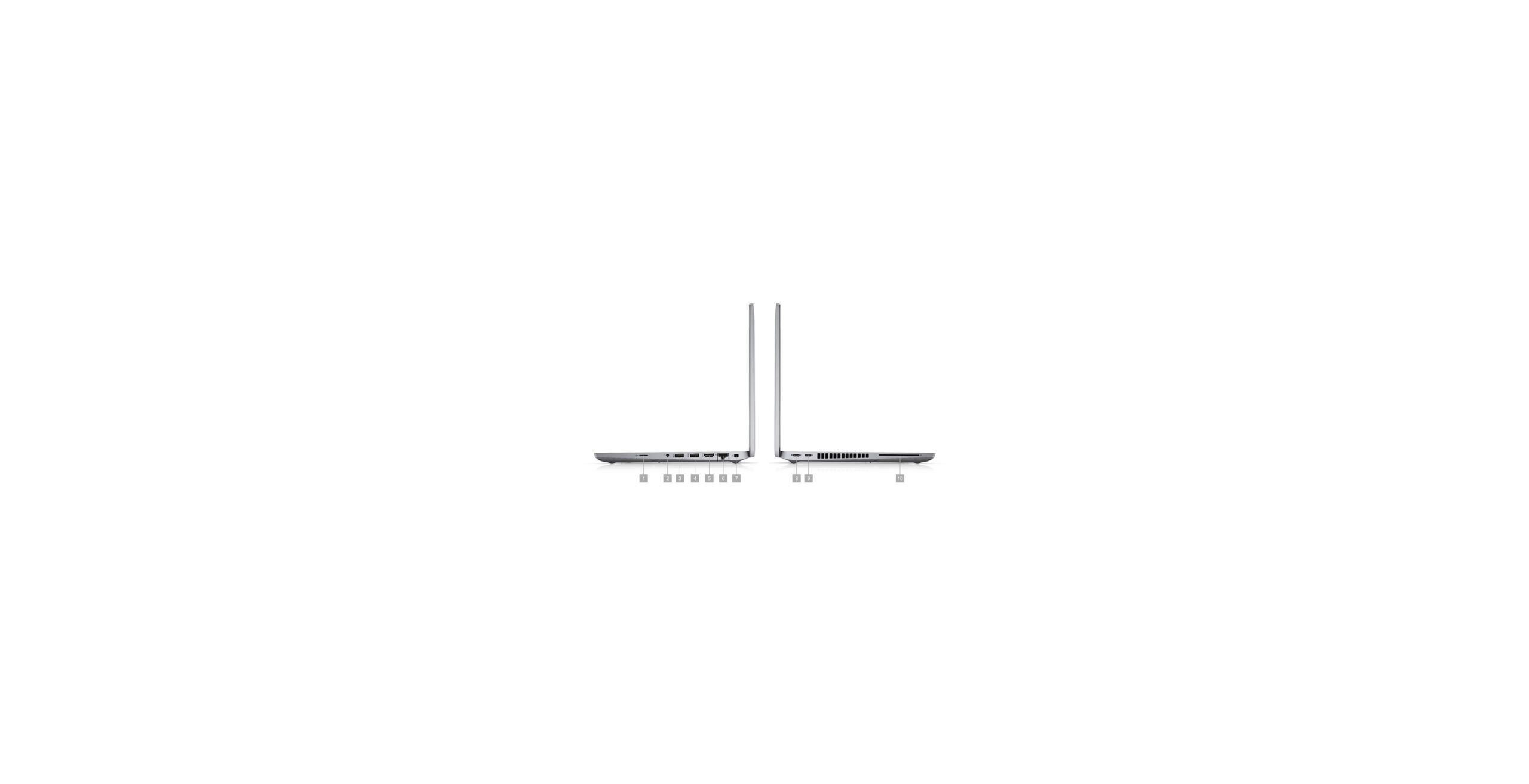
Can you upgrade your laptop? Most business laptops can take an SSD. Dell Latitude, HP EliteBook and Lenovo ThinkPad models usually have a standard 2.5 inch bay or an M.2 slot. Some very slim laptops have the storage fixed to the board and cannot change. Message us your model on WhatsApp and we will tell you in plain words whether it can take an SSD.
What does it cost? Our WD Blue 500GB SSD costs AED 169. It reads at up to 560 MB/s and comes with a 5-year manufacturer warranty. For most older laptops, that one part is the whole upgrade.
SSD plus RAM: the pair that fixes most slow laptops
An SSD is the biggest single fix. RAM is the second biggest. If your laptop has only 4GB of RAM, Windows runs out of memory and uses the drive instead, which slows everything down even with an SSD. Our 8GB DDR4 RAM costs AED 118. Our 16GB DDR4 RAM costs AED 379. Both are 3200MHz SODIMM modules for laptops. If you are unsure which size fits your work, read our guide on how much RAM you need in a refurbished laptop.
Back up first, always
Before any drive work, back up your files. Photos, documents, anything you cannot lose. A clone copies the old drive to the new SSD so you keep your files and programs. But a clone is not a backup. Copy what matters to a second drive or to the cloud first.
Buying checklist: SSD vs HDD in a refurbished laptop
Use this list on any seller, including us. A serious seller will welcome these checks.
- SSD fitted? The laptop must have an SSD as its main drive, not a hard drive. Ask for the exact type and size in writing.
- How big? 256GB for light use, 512GB for most people, 1TB for creators and gamers. Keep 10 to 20 percent free.
- SATA or NVMe? Either is fine for daily work. NVMe is faster for big files and video. Do not pay a big premium for NVMe if your work is documents and browsing.
- Drive health? Ask for a health report. Look for 90 percent health or better on an SSD, and no warnings on a hard drive.
- Known brand? WD, Samsung, Kingston or another known brand. Unbranded drives are a warning sign.
- RAM to match? 8GB is the floor for 2026. 16GB is the safer pick for multitasking. An SSD with 4GB of RAM still struggles.
- Warranty in writing? Aim for 12 months on parts and labour. Ask what it covers and who pays for return shipping.
- Return window? You need time to test the laptop at home. We give 10 days. Anything under 7 days is tight.
SSD vs HDD: pros and cons
Here is the honest balance, with both sides.
Pros of an SSD
- Much faster. Startup in seconds and apps open at once.
- Tougher in a laptop. No moving parts, so bumps do far less harm.
- Silent and cool. No hum, less heat, and a quieter fan.
- Better battery life. Lower power use adds 30 to 60 minutes.
- More reliable. Published data shows SSDs failing less often.
Cons of an SSD
- Costs more per GB. You pay more for the same size, mainly at 1TB and above.
- Write wear over time. Flash cells wear with heavy writing, though normal use takes many years.
- Data recovery is harder. If an SSD fails badly, file recovery costs more.
Pros of an HDD
- Cheapest per GB. The best way to store terabytes of files on a budget.
- Good for cold storage. Files that sit still for months do not need speed.
- Easier data recovery. A failed hard drive often gives warnings first, and recovery is usually simpler.
Cons of an HDD
- Slow. Startup takes 30 to 90 seconds. Apps open one by one. Everything waits on the disk.
- Fragile in a laptop. A knock while the disk spins can kill the drive and the data on it.
- Noisy and hot. The spinning disk hums and clicks, uses more power, and shortens battery life.
For a laptop main drive, the SSD pros win by a clear margin. The HDD pros only matter when the job is cheap bulk storage, and that job belongs in an external drive, not in the laptop you carry every day.
Practical tips for Dubai buyers
Buy the SSD laptop, not the HDD laptop
A refurbished laptop with a hard drive may look cheaper on the listing. It is not cheaper in real life. You will pay the difference in wasted time, every day, for as long as you own it. Buy the SSD version from the start.
Do not pay NVMe money for a SATA laptop
NVMe is faster on paper. For documents, browsing and video calls, you will not feel the gap over a good SATA SSD. Pay the NVMe premium only if you edit video, move huge files daily, or game heavily.
Check the drive, not just the processor
Two laptops can share the same i5 processor and feel very different. The one with an SSD feels fast. The one with a hard drive feels old. When you compare listings, check the storage line first, then the processor.
Keep the old hard drive as a backup drive
If you upgrade an old laptop to an SSD, do not throw the old hard drive away. Put it in a cheap USB case. It becomes an external backup drive for photos and files. That is the best use of a hard drive in 2026.
Buy from a shop you can visit
A physical store lets you see the drive health report, check the laptop in your hands, and ask questions before you pay. Our Sharjah store works both ways. Walk in and inspect the laptop, or order on WhatsApp and we will send live photos of your exact unit before you pay.
Frequently asked questions
Is SSD better than HDD for laptop buyers?
Yes, for the main drive, in almost every case. An SSD starts Windows in seconds instead of a minute or more. It opens apps at once, stays silent, uses less battery, and survives bumps better because it has no moving parts. An HDD only wins on price per GB for huge archives, which belong on an external drive.
How much SSD storage do I need in a laptop?
For most people, 512GB is the sweet spot. It holds Windows, Office, many apps and a healthy photo library with room for updates. Pick 256GB only for light use with files mostly in the cloud. Pick 1TB if you edit video, keep RAW photos, or play several large games.
Can I upgrade a refurbished laptop from HDD to SSD in Dubai?
Often, yes. Most refurbished business laptops like the Dell Latitude, HP EliteBook and Lenovo ThinkPad lines take a standard 2.5 inch SATA SSD or an M.2 SSD. Our WD Blue 500GB SSD costs AED 169 and reads at up to 560 MB/s. Back up your files first, then have the old drive cloned to the new SSD. Some very slim laptops have storage fixed to the board, so check your exact model first.
Do refurbished laptops in Dubai come with an SSD?
Good ones do. Every refurbished laptop at Khaleej Electronics already has an SSD fitted, with a 12-month warranty and 10-day returns. But not every seller in Dubai does this. Some cheap listings still hide a hard drive behind the word fast. Always ask for the exact drive type and size in writing, and check it in Task Manager when the laptop arrives.
Ready to buy a refurbished laptop with an SSD?
An SSD is the one part that changes how a laptop feels every single day. It turns a slow wait into instant work. It makes a three year old business laptop feel fast in 2026. And in a refurbished laptop from Khaleej Electronics, it comes fitted as standard, with our 12-month warranty and 10-day returns behind it.
Browse the full Khaleej Electronics shop today, or message us on WhatsApp at +971 58 959 4156. Tell us your budget and your work, and we will help you pick the right laptop with the right SSD size. Delivery across Dubai and Sharjah, with cash on delivery available.