











Best Laptop for Programming and Coding in Dubai 2026
Short answer: the best laptop for programming and coding in Dubai is the Dell Latitude 5430 at AED 1,699. It has a 12th Gen 10 core Intel processor, 16GB RAM and a fast 512GB SSD, which is the mix that keeps code editors, browsers and test servers running smoothly together. If your budget is lower, the Dell Latitude 5420 at AED 939 is the best value pick for learning to code, and the Lenovo ThinkPad T14 Gen 3 at AED 2,029 is the best pick if you type all day and want the best keyboard. Every laptop in this guide is refurbished, tested, and covered by a 12 month warranty with Cash on Delivery in Dubai and Sharjah. Every price here is a live price from our shop, checked on 21 November 2026.
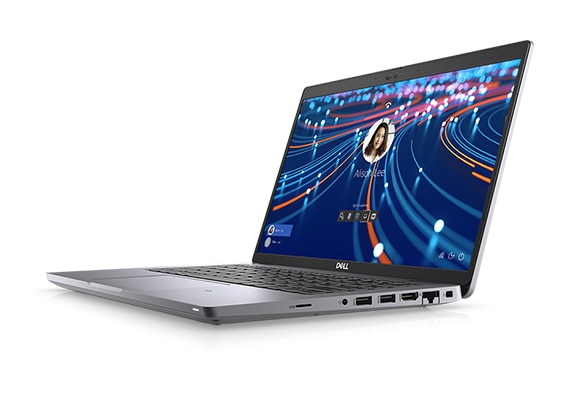
In this guide we explain what makes a laptop good for coding, compare six real refurbished models with live prices, and show you which one fits your work: web development, Python and data work, student projects, or heavy professional development. We also answer the questions buyers ask us most: is a refurbished laptop good for programming, how much RAM do you need for coding, and is a MacBook or a Windows laptop better for a programmer in Dubai.
What Makes a Laptop Good for Programming?
Coding is not like watching videos or writing documents. A code editor, a browser with many tabs, a local server, and a database can all run at the same time. A laptop that feels fast for email can feel slow the moment you start a real project. Here is what matters, in plain words.
Processor: the engine that runs your code
The processor runs your editor, compiles your code, and runs your tests. A modern quad core chip handles web development and student projects well. A 10 core 12th Gen chip, like the one in the Latitude 5430 and the ThinkPad T14 Gen 3, compiles large projects faster and keeps everything smooth when many tools run at once. For learning to code, a Core i5 is enough. For professional work with big projects, a newer i5 or an i7 is the safer pick.
RAM: the work space for your tools
RAM is the space where your open tools live while you work. Your editor, your browser, your terminal, and your database all take RAM. 16GB is the right amount for coding in 2026. With 8GB you can learn and build small projects, but the laptop will slow down when you open Docker, a virtual machine, or many browser tabs. With 16GB you can keep your whole setup open all day. Every laptop in this guide has 16GB of RAM except the EliteBook 840 G8, which has 8GB and can be upgraded later.
Storage: a fast SSD saves you time every day
Code projects have thousands of small files. A fast SSD reads them quickly, so your editor opens fast, your project loads fast, and your tests run fast. A slow old hard drive will make even a strong laptop feel slow. Every laptop in this guide has a fast 512GB SSD except the EliteBook 840 G8, which has a 256GB SSD. For most programmers 512GB is comfortable. If you work with large data sets or many virtual machines, look at the 512GB models first.
Keyboard: you type all day, so it matters most
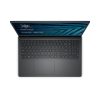
A programmer types for hours every day, so the keyboard is not a small detail. Business laptops have the best keyboards. The ThinkPad T14 Gen 3 has the best keyboard in this guide, with deep keys and a TrackPoint that lets you move the mouse without lifting your hands. The Dell Latitude and HP EliteBook keyboards are also good, with backlit keys for late night work. A cheap new laptop often has a shallow keyboard that tires your hands. A refurbished business laptop gives you a far better keyboard for the same money.
Screen: you need room for code and a browser
You read code all day, so a sharp screen matters. A 14 inch Full HD screen is the right size for most programmers: big enough to show code and a browser side by side, small enough to carry. The ThinkPad T14 Gen 3 has a taller 16:10 screen, which shows more lines of code at once. That small extra height helps more than it sounds like it would.
Ports and battery: the practical side
Programmers plug in a lot of things: a second screen, a mouse, a phone for testing, a USB drive. Two Thunderbolt 4 ports, like the ones on the Latitude 5430, 5420, 7420 and the ThinkPad T14 Gen 3, let you connect a screen and charge at the same time. Battery life matters too if you work from cafes or client offices. All six laptops in this guide have health tested batteries, and every one is covered by our 12 month warranty.
Quick rule: for programming, buy 16GB of RAM first, then the newest processor you can afford, then a 512GB SSD. A good keyboard matters more than a slightly faster chip, because you type on it for hours every day.
The 6 Best Refurbished Laptops for Programming Compared
Here are the six best refurbished laptops for programming in our shop right now, with live prices checked on 21 November 2026. All six are in stock, tested, and covered by a 12 month warranty.
| Laptop | Processor | RAM | Storage | Screen | Price | Best for |
|---|---|---|---|---|---|---|
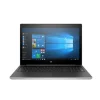
| Dell Latitude 5420 | Core i5 11th Gen, 4 cores | 16GB | 512GB SSD | 14 inch FHD | AED 939 | Learning to code |
| Dell Latitude 7420 | Core i7 11th Gen, 4 cores | 16GB | 512GB SSD | 14 inch FHD | AED 1,239 | Web development |
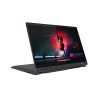
| HP EliteBook 840 G8 | Core i7 11th Gen, 4 cores | 8GB | 256GB SSD | 14 inch FHD | AED 1,379 | Light coding, travel |
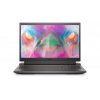
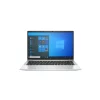
| Dell Latitude 5430 | Core i5 12th Gen, 10 cores | 16GB | 512GB SSD | 14 inch FHD | AED 1,699 | Best overall pick |
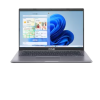
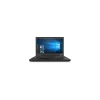
| Lenovo ThinkPad T14 Gen 3 | Core i5 12th Gen, 10 cores | 16GB | 512GB SSD | 14 inch FHD+ | AED 2,029 | Best keyboard |
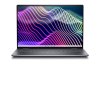
| Dell Latitude 5431 | Core i7 12th Gen, P series | 16GB | 512GB SSD | 14 inch FHD | AED 2,369 | Heavy projects |
Our Top Pick: Dell Latitude 5430 at AED 1,699
If you want one clear answer, buy the Dell Latitude 5430. It is the best mix of price and power for programming in our shop. The 10 core Intel Core i5-1235U is a 12th Gen chip, which means it has extra efficient cores that handle background tasks while the fast cores do your real work. With 16GB of RAM and a 512GB NVMe SSD, it runs a code editor, a browser with many tabs, a local server, and a database at the same time without slowing down.
The 5430 is also built for real work. It has two Thunderbolt 4 ports, Wi-Fi 6E, a backlit spill resistant keyboard, and a 58Wh battery. At 1.36 kg it is easy to carry to an office, a co working space, or a client meeting. Windows 11 Pro is installed and activated, so it is ready to code on the day it arrives.
Compared with the older 5420, the 5430 is roughly twice as fast in multi core work, which is the kind of work that happens when you compile code and run tests. Compared with the newer 5440, it costs far less and still runs the same daily coding work with ease. For most programmers in Dubai, the 5430 is the sweet spot.
Best Keyboard: Lenovo ThinkPad T14 Gen 3 at AED 2,029
If you type for six or eight hours a day, the keyboard is the part you touch most, and the Lenovo ThinkPad T14 Gen 3 has the best keyboard of any laptop in this guide. ThinkPad keyboards are famous for a reason: deep keys, a firm feel, and a TrackPoint that lets you move the mouse without taking your hands off the keys. After a week of coding on it, most programmers do not want to go back.
The T14 Gen 3 has the same 12th Gen 10 core i5-1235U chip as the 5430, with 16GB RAM and a 512GB NVMe SSD. Its screen is taller than the others: a 14 inch FHD+ display at 1920 by 1200, which shows more lines of code at once. It also has Wi-Fi 6E, two Thunderbolt 4 ports, a full HD webcam with a privacy shutter, and a backlit keyboard. At 1.36 kg with a MIL-STD tested body, it is built to survive years of daily use.
Choose the T14 Gen 3 if you write code all day and want the most comfortable typing experience. Choose the 5430 if you want the same power for AED 330 less and do not mind a standard keyboard.
Best Budget Pick: Dell Latitude 5420 at AED 939
If you are learning to code or starting your first developer job, the Dell Latitude 5420 is the best value in this guide. For AED 939 you get an 11th Gen Core i5-1135G7, 16GB of RAM, a 512GB NVMe SSD, and a 14 inch Full HD screen. That is the full 16GB setup a programmer needs, at the lowest price in this guide.
The 5420 runs Python, JavaScript, HTML and CSS, Java, and student projects with ease. It has two Thunderbolt 4 ports, Wi-Fi 6, a backlit keyboard, and a 63Wh battery with ExpressCharge. It is the same business class build as the more expensive Latitudes, with a MIL-STD tested body, so it will last through a full coding course and beyond.
The honest limit is the processor. A 4 core 11th Gen chip is slower than the 10 core 12th Gen chips in the 5430 and the T14 Gen 3 when you compile large projects or run Docker and virtual machines. For learning, web development, and small to medium projects, you will not feel the difference. For heavy professional work, spend the extra and buy the 5430.
Dell Latitude 7420 at AED 1,239: The Step Up for Web Developers
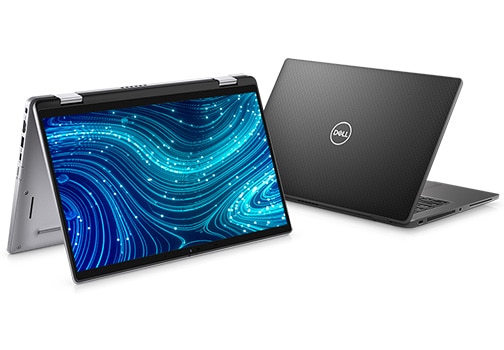
The Dell Latitude 7420 is the premium 11th Gen Latitude, and it suits web developers well. The Core i7-1185G7 is faster than the i5 in the 5420, and the machine is lighter at 1.22 kg, with a carbon fibre and aluminium body. It has 16GB RAM, a 512GB NVMe SSD, two Thunderbolt 4 ports, and a 63Wh battery with ExpressCharge Boost.
For web development, the 7420 is a strong pick: fast enough for local servers, light enough to carry every day, and quiet enough for a shared office. The main question is whether to spend AED 300 more than the 5420 for the i7 and the lighter body, or AED 460 more for the 12th Gen 5430. If you carry your laptop everywhere, the 7420 is worth it. If you mostly work at one desk, the 5430 gives you more power for the money.
HP EliteBook 840 G8 at AED 1,379: Light and Stylish, With One Limit
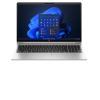
The HP EliteBook 840 G8 is the most stylish laptop in this guide, with a slim aluminium body and an 11th Gen Core i7-1165G7 with Iris Xe graphics. It has two Thunderbolt 4 ports, Wi-Fi 6, a backlit spill resistant keyboard, a fingerprint reader, and an IR camera for Windows Hello sign in. At 1.36 kg it travels well.
The honest limit is memory and storage: this unit has 8GB of RAM and a 256GB SSD. That is enough for learning to code, web development, and light projects. It is tight if you run Docker, virtual machines, or many heavy tools at once. The good news is that the 840 G8 has two RAM slots, so you can upgrade to 16GB or 32GB later for the cost of a memory module. If you like the EliteBook design and you code in a browser and a light editor, it is a good buy. If you run heavy tools, buy one of the 16GB models instead.
Dell Latitude 5431 at AED 2,369: The Power Pick
The Dell Latitude 5431 is the strongest laptop in this guide. It has a 12th Gen Intel Core i7 P series processor, which is the high performance version of the 12th Gen line, with more sustained power than the U series chips in the 5430 and the T14 Gen 3. It also has 16GB of memory, a 512GB NVMe SSD, a 14 inch Full HD screen, and Windows 11 Pro.
Choose the 5431 if you compile large code bases, run virtual machines, edit video as well as code, or work with large data sets. For most programmers the 5430 is enough, and the 5431 is AED 670 more. But if your work is heavy every day, the extra power pays for itself in saved waiting time.
Which Laptop for Which Kind of Coding?
Different kinds of coding need different strengths. Here is a simple match.
Web development: HTML, CSS, JavaScript, React
Web development is light work for a modern laptop. The Latitude 5420 at AED 939 is enough, and the Latitude 5430 at AED 1,699 is the comfortable pick if you also run a local database and a test server. A second screen helps more than a faster chip, so spend any leftover budget on a monitor, not on more power.
Python and data work
Python, data analysis, and machine learning need RAM first and processor second. Buy 16GB of RAM as a minimum, and a 12th Gen chip if you train small models or process large files. The Latitude 5430 and the ThinkPad T14 Gen 3 are the right picks. The 8GB EliteBook 840 G8 is not the right pick for data work unless you upgrade its RAM first.
Students learning to code
Students should buy the cheapest laptop that still has 16GB of RAM and an SSD. That is the Latitude 5420 at AED 939. It runs every student project, from first Python scripts to final year web apps, and it will still be useful after graduation. Our RAM guide explains why 16GB is the right size for study and work.
Mobile app development
Android development needs a strong processor and 16GB of RAM, because Android Studio is heavy. The Latitude 5430 and the ThinkPad T14 Gen 3 both handle it well. iOS development needs a Mac, so if you build iPhone apps, look at our refurbished MacBook range instead of the Windows laptops in this guide.
Professional developers and teams
Professional developers should buy the newest platform they can afford, because it stays useful for more years. The Latitude 5431 at AED 2,369 is the strongest Windows pick here, and the ThinkPad T14 Gen 3 is the most comfortable to type on all day. Both are business class machines with a 12 month warranty, so your team can rely on them.
Is a Refurbished Laptop Good for Programming?
Yes, and for a simple reason: the best laptops for programming are business laptops, and the best value business laptops are refurbished ones. A new business laptop with a 12th Gen i5, 16GB RAM and a 512GB SSD costs several thousand dirhams. The same machine refurbished costs AED 1,699, with a tested battery, a fresh Windows 11 Pro install, and a 12 month warranty.
Refurbished business laptops also have two advantages a new budget laptop does not. First, the build is stronger: metal chassis, spill resistant keyboards, and easy servicing. Second, the parts can be upgraded: most Latitude and ThinkPad models let you add RAM or swap the SSD later, so the laptop grows with your work. A new budget laptop often has fixed RAM and a weak screen, and it cannot grow at all.
The only real risk is buying from a seller with no warranty and no testing. Every laptop at Khaleej Electronics passes a 30 point check, and every one carries a written 12 month warranty with 10 day returns. If a laptop is not right for your work, you can return it.
Pros and Cons of a Refurbished Laptop for Coding
Pros
- Far lower price for the same power: a 12th Gen business laptop for AED 1,699 instead of several thousand new.
- Business class build: metal body, spill resistant keyboard, and MIL-STD tested strength on the Latitude and ThinkPad models.
- Upgradeable: most models let you add RAM or a bigger SSD later.
- 12 month warranty: every laptop in this guide is covered for a full year, with 10 day returns.
- Ready to use: Windows 11 Pro is installed and activated, with a charger in the box.
Cons
- Not the newest design: a refurbished laptop is one or two generations behind the latest model, so it will not have the newest chip.
- Battery health varies: refurbished batteries are tested, but they are not new. Every unit is health checked, and the warranty covers a battery that fails in normal use.
- Small cosmetic marks: a refurbished laptop may have light marks from its first working life. It is fully tested and working, but it is not brand new in the box.
- Some models have 8GB RAM: the EliteBook 840 G8 in this guide has 8GB, which is tight for heavy coding. Check the RAM before you buy, and pick a 16GB model for serious work.
Buyer Checklist: Before You Pay for a Coding Laptop
- Check the RAM is 16GB: 8GB is enough to learn, but 16GB is the right size for real coding work. Our RAM guide explains the sizes in plain words.
- Check it has an SSD, not a hard drive: every laptop in this guide has a fast SSD. If a seller offers a hard drive laptop for coding, walk away.
- Check the processor generation: 11th Gen or newer is the right range in 2026. Older chips still work, but they will feel slow sooner.
- Type on the keyboard before you buy: if you can visit our Sharjah store, try the keyboard yourself. If you buy online, pick a ThinkPad or a Latitude, which have the best keyboards.
- Check the ports: two Thunderbolt 4 or USB-C ports let you connect a screen and charge at the same time. All six laptops in this guide have them.
- Check the warranty in writing: a real warranty is 12 months, written on your invoice. A 30 day promise is not the same thing.
- Check the screen: a Full HD screen is the minimum for coding. A dim or low resolution screen will tire your eyes in a week.
- Ask about the battery: a tested battery should last 3 to 5 hours of normal coding work. Ask the seller for the battery health before you pay.
If you are still unsure which laptop fits your work, read our Latitude 5420 vs 7420 comparison. It shows the real difference between the two most popular models in our shop.

Frequently Asked Questions
Is a refurbished laptop good for programming?
Yes. A refurbished business laptop has the same processor, RAM and SSD as a new business laptop, at a far lower price. The key is to buy from a seller who tests every machine and gives a written 12 month warranty. Every laptop in this guide is tested and covered for a full year.
How much RAM do I need for coding?
16GB is the right amount for coding in 2026. It lets you run a code editor, a browser with many tabs, a local server, and a database at the same time. 8GB is enough for learning and small projects, but it will slow down with Docker or virtual machines. 32GB is only needed for very heavy work like large data sets or many virtual machines.
Is a MacBook or a Windows laptop better for programming in Dubai?
Both work well, and the choice depends on what you build. Windows laptops are better for most web development, Python, and .NET work, and they cost less for the same power. A MacBook is needed for iOS app development, and many web developers like macOS. If you do not build iPhone apps, a refurbished Windows business laptop gives you more power per dirham.
Which laptop is best for Python and web development in Dubai?
For Python and web development, the Dell Latitude 5430 at AED 1,699 is the best overall pick: a 12th Gen 10 core processor, 16GB RAM, and a 512GB SSD. If your budget is tight, the Dell Latitude 5420 at AED 939 does the same work with an 11th Gen chip. If you type all day, the Lenovo ThinkPad T14 Gen 3 at AED 2,029 has the best keyboard for long coding sessions.
Ready to start coding on a better laptop? Browse our refurbished laptops in Dubai with live prices, or message us on WhatsApp at +971 58 959 4156 and tell us what you code. We will point you to the right model, with honest advice and no pressure to buy the most expensive one. Every laptop comes with a 12 month warranty, 10 day returns, free delivery across Dubai and Sharjah, and Cash on Delivery.