










Can a Refurbished Laptop Run Windows 11? What to Check Before You Buy in Dubai
Short answer: yes, a refurbished laptop can run Windows 11, but only if it meets the rules Microsoft set. The processor must be 8th Gen Intel Core or newer, the laptop must have TPM 2.0, and it must have at least 4GB of RAM and 64GB of storage. Most refurbished business laptops from 2018 onwards meet these rules. Laptops from 2016 and 2017 usually do not. This guide shows you how to check any laptop in one minute, which of our laptops qualify, and what to do if the one you like does not.
Windows 11 is now the normal Windows on new laptops. But many buyers in Dubai shop for refurbished laptops, and those laptops were made over many years. Some were made before Windows 11 existed. So the question is fair. Will the laptop you buy run the latest Windows, or will you be stuck on an old version?
The answer matters more than it used to. Microsoft ended support for Windows 10 on 14 October 2025. A laptop on Windows 10 still turns on and still works, but it gets no new security updates. For work, study, and online banking, that is a real risk over time. So before you buy a refurbished laptop in Dubai, check the Windows 11 question first. This guide shows you how, in plain words.
What Windows 11 needs from a laptop
Microsoft set four main rules for Windows 11. A laptop must meet all four. If it fails even one, Windows 11 will not install in the normal way.
| Requirement | What it means | Why it matters |
|---|---|---|
| Processor | Intel Core 8th Gen or newer, or AMD Ryzen 2000 or newer | The chip must support the security features Windows 11 uses |
| TPM 2.0 | A small security chip on the board, version 2.0 | It locks the laptop and protects your files and passwords |
| Secure Boot | A setting that only lets trusted software start the laptop | It stops harmful software from loading before Windows |
| Memory and storage | At least 4GB of RAM and 64GB of storage | Windows 11 needs room to run and to update |
The processor rule is the one that catches most people. A laptop with a 6th Gen or 7th Gen Intel chip can be fast and clean, but Microsoft does not list it as Windows 11 ready. A laptop with an 8th Gen chip or newer passes. That is why the year of the processor matters more than the brand of the laptop.
What is TPM 2.0 in plain words
TPM stands for Trusted Platform Module. It is a small chip on the laptop board. It stores keys that lock your files and your sign-in. Windows 11 needs version 2.0 of this chip. Most business laptops from 2018 onwards have it built in. Dell Latitude, HP EliteBook and Lenovo ThinkPad models almost always have it, because companies asked for it. Cheaper home laptops sometimes do not. If a laptop has no TPM 2.0 chip, Windows 11 will refuse to install, even if the processor is new enough.
How to check any laptop in one minute
You do not need to be technical. There are three quick checks, and any honest seller should let you run them before you pay.
Check 1: look at the processor
On the laptop, go to Settings, then System, then About. Look at the line that says Processor. The first number after Core i5 or Core i7 tells you the generation. If it says i5-8350U, the 8 means 8th Gen, so it passes. If it says i5-1135G7, the 11 means 11th Gen, so it passes easily. If it says i5-7300U, the 7 means 7th Gen, so it fails the rule. For 12th Gen chips the number looks different, like i5-1235U, where 12 means 12th Gen. The rule is simple. The number after the dash tells you the generation, and it must be 8 or higher.
Check 2: run the PC Health Check app
Microsoft gives away a free app called PC Health Check. Download it from the Microsoft website, open it, and press the Check now button under Windows 11. In a few seconds it tells you yes or no, and it names the exact reason if the answer is no. It checks the processor, the TPM chip, the memory and the storage all at once. This is the fastest way to get a clear answer, and it is the same check Microsoft itself uses.
Check 3: check TPM in one step
Press the Windows key and R together, type tpm.msc, and press Enter. A small window opens. Look for the line that says Specification Version. If it says 2.0, the laptop passes. If it says 1.2, or the window says no TPM was found, the laptop fails the Windows 11 rule. Business laptops like the Latitude, EliteBook and ThinkPad lines almost always show 2.0.
Quick checklist before you pay: processor is 8th Gen or newer, TPM shows version 2.0, RAM is 8GB or more, storage is an SSD of 256GB or more, and Windows 11 is already installed and activated on the laptop. If a seller cannot show you these five things, walk away or pick another laptop.
Which refurbished laptops run Windows 11
The rule is simple once you know the generations. Here is how the common business laptops in Dubai line up.
| Processor generation | Windows 11 | Example models |
|---|---|---|
| 12th Gen | Yes, easily | Latitude 5430, Latitude 5330, ThinkPad T14 Gen 3 |
| 11th Gen | Yes | Latitude 5420, Latitude 7420, EliteBook 840 G8 |
| 10th Gen | Yes | Latitude 7410, Latitude 5310, EliteBook 840 G7 |
| 8th Gen | Yes | ThinkPad T490, Latitude 7390 2-in-1, EliteBook 840 G5 |
| 7th Gen | No | Latitude 7480 i5, Latitude 5480, Latitude 7280 |
| 6th Gen | No | Latitude E5470, Latitude E5570, Precision 5510, ZBook 15 G3 |
The pattern is clear. If you buy an 8th Gen laptop or newer, you get Windows 11 with years of updates ahead. If you buy a 6th or 7th Gen laptop, you get Windows 10, which still works but gets no new security updates. The older laptop is cheaper, and for many buyers that trade is fair, as long as the seller says so honestly before you pay.
What we sell, and what Windows each one gets
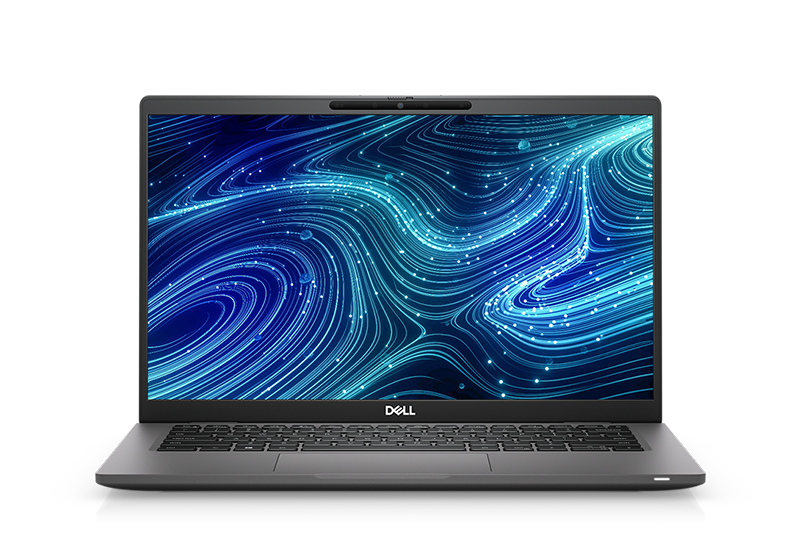
At Khaleej Electronics, every refurbished laptop that meets the Windows 11 rules ships with Windows 11 Pro freshly installed and activated. Every laptop that does not meet the rules ships with Windows 10, and we say so on the page. We never install Windows 11 on a laptop that fails the rules, and we never claim a 6th or 7th Gen laptop runs Windows 11.
If your budget is under AED 1,000 and you want Windows 11, the new Dell Latitude 5330 at AED 999 is the cheapest 12th Gen laptop we sell, and the Dell Latitude 7410 at AED 789 is the cheapest 10th Gen laptop we sell. Both run Windows 11 properly. The Dell Latitude 5420 at AED 1,239 is our most popular 11th Gen laptop, with 16GB of RAM and a 512GB SSD. For the newest chip, the Dell Latitude 5430 at AED 1,999 and the Lenovo ThinkPad T14 Gen 3 at AED 2,329 are both 12th Gen with 16GB of RAM and 512GB of storage.
If your budget is lower and you are happy with Windows 10, the older models still give you a lot of laptop for the money. The Dell Latitude E5470 and E5570 are solid 6th Gen business laptops, and the HP ZBook 15 G3 is a 6th Gen workstation. They run Windows 10 well, and they cost far less than a new laptop. Just know before you buy that Windows 10 gets no new security updates, so keep your antivirus on and be careful with links and downloads.
What about installing Windows 11 on an old laptop anyway
You will find guides online that show how to bypass the processor check and install Windows 11 on a 6th or 7th Gen laptop. It can be done. But we do not recommend it, and we do not sell laptops this way. Here is why.
First, Microsoft says a laptop that bypasses the check may not get updates. That is the whole point of Windows 11 security. A laptop that cannot update is worse than a laptop on Windows 10, because you think you are protected and you are not. Second, the bypass can break. A future update can refuse to install, or the laptop can fail to start after an update. Third, it hides the real question. If you need Windows 11, buy a laptop that meets the rules. An 8th Gen laptop costs only a little more than a 7th Gen one, and it gives you years of proper updates.
Our advice is simple. If Windows 11 matters to you, pick an 8th Gen laptop or newer. If the budget only stretches to a 6th or 7th Gen laptop, buy it with open eyes, keep Windows 10 updated as far as it goes, and plan to upgrade the laptop sooner. Either choice is fine, as long as you know which one you made.
Windows 11 and the rest of the laptop
Windows 11 is only one part of a good refurbished laptop. The same checks still matter. The screen should be clear with no lines or dark spots. The keyboard should work on every key. The battery should hold a charge. The SSD should be healthy. The ports, Wi-Fi, Bluetooth, speakers and webcam should all work. That is what our full inspection covers on every laptop, before it gets a warranty.
RAM matters more on Windows 11 than it did on Windows 10. Windows 11 runs fine on 8GB for office work, study and browsing. But if you keep many Chrome tabs open and run Teams at the same time, 16GB feels much better. That is why our most popular laptops, the Latitude 5420 and 7420, both carry 16GB. Storage matters too. Windows 11 needs 64GB at minimum, but a 256GB SSD is the real minimum for daily use, and 512GB is better if you keep photos and files on the laptop. Every laptop in our Windows 11 range has at least 256GB.
Frequently asked questions
Can a refurbished laptop run Windows 11?
Yes, if it meets the rules. The processor must be 8th Gen Intel Core or newer, the laptop must have TPM 2.0, and it must have at least 4GB of RAM and 64GB of storage. Most refurbished business laptops from 2018 onwards meet these rules. Laptops from 2016 and 2017 usually do not.
How do I check if a laptop supports Windows 11?
Run the free PC Health Check app from Microsoft and press Check now. It tells you yes or no in seconds and names the exact reason if the answer is no. You can also check the processor in Settings, then System, then About, and check TPM by typing tpm.msc in the Run box.
What happens if I buy a laptop that cannot run Windows 11?
It will run Windows 10, which still works but gets no new security updates since Microsoft ended Windows 10 support on 14 October 2025. It is usable, but you should keep your antivirus on, be careful with links and downloads, and plan to upgrade the laptop sooner.
Do your refurbished laptops come with Windows 11 installed?
Yes, if the laptop meets the rules. Every qualifying laptop from Khaleej Electronics ships with Windows 11 Pro freshly installed and activated. Laptops that do not meet the rules ship with Windows 10, and we say so on the page before you buy.
Before you buy, read our refurbished laptop warranty guide and our guide to choosing a refurbished laptop in Dubai.
The short version
A refurbished laptop can run Windows 11, and most of the ones worth buying do. Check the processor generation first. 8th Gen or newer means yes. 6th or 7th Gen means no. Then check TPM 2.0 with the PC Health Check app. Then buy from a seller who installs Windows 11 fresh and says so in writing, with a warranty behind it.
At Khaleej Electronics, every laptop that meets the rules ships with Windows 11 Pro installed, a 12 month warranty, 10 day returns, free delivery across Dubai and Sharjah, and cash on delivery. Message us on WhatsApp at +971 58 959 4156 and tell us your budget and what you use the laptop for. We will point you to the right one, and we will show you the Windows 11 check on the laptop before you pay.



2 thoughts on “Can a Refurbished Laptop Run Windows 11? What to Check Before You Buy in Dubai”
[…] Related reading: How to Choose a Refurbished Laptop in Dubai and our Windows 11 guide. […]
[…] 5330. A 7th Gen or older laptop, like the Latitude 5480, runs Windows 10 instead. Read our guide on whether a refurbished laptop can run Windows 11 in Dubai to check your model before you […]